
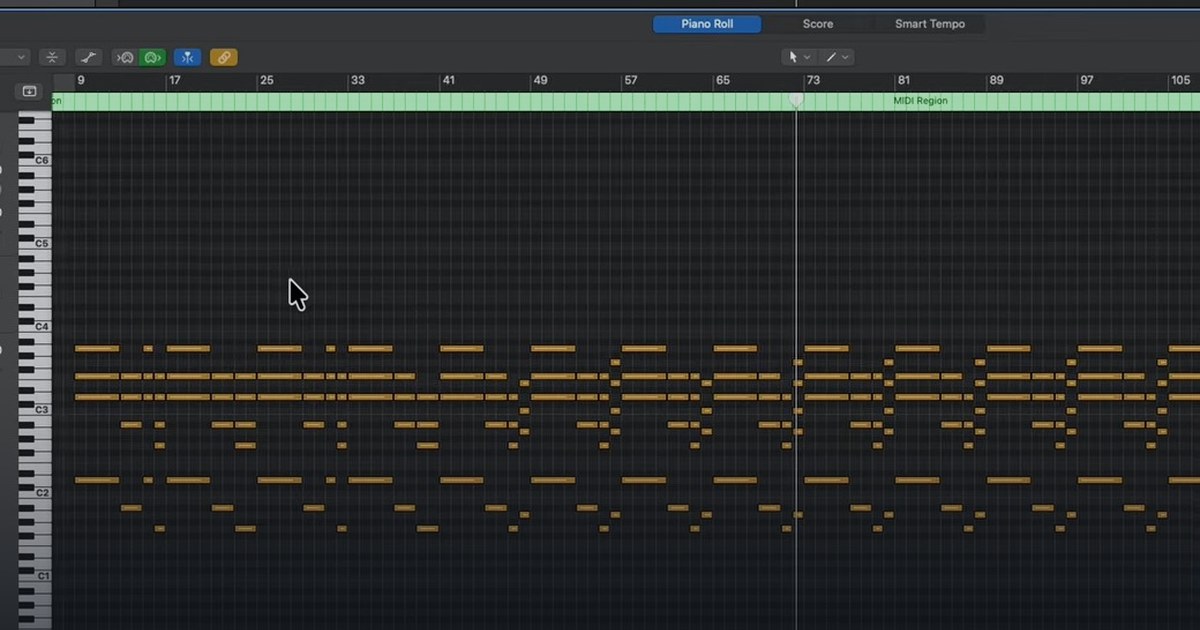
Chord Progressions in Logic Pro: 4 Hacks (No Music Theory Needed)
Songwriting & Chords
Write progressions that sound good in minutes with the tools already inside Logic. No theory, no guesswork.
You don't need years of music theory to write chord progressions that sound good. If you produce in Logic Pro, you already have tools that write, suggest and even humanize chords for you. In this guide I'll show you the four chord hacks I use myself, plus four ready-to-use progressions for house, melodic techno and afro house.
Prefer to watch? Here's the full walkthrough:
Before you start: pick A minor
If you're new to chords, start in A minor. It uses only the white keys on your keyboard, so you can play and edit chords without thinking about sharps or flats. It's also the same set of notes as C major, which is why so many tutorials and MIDI packs use it.
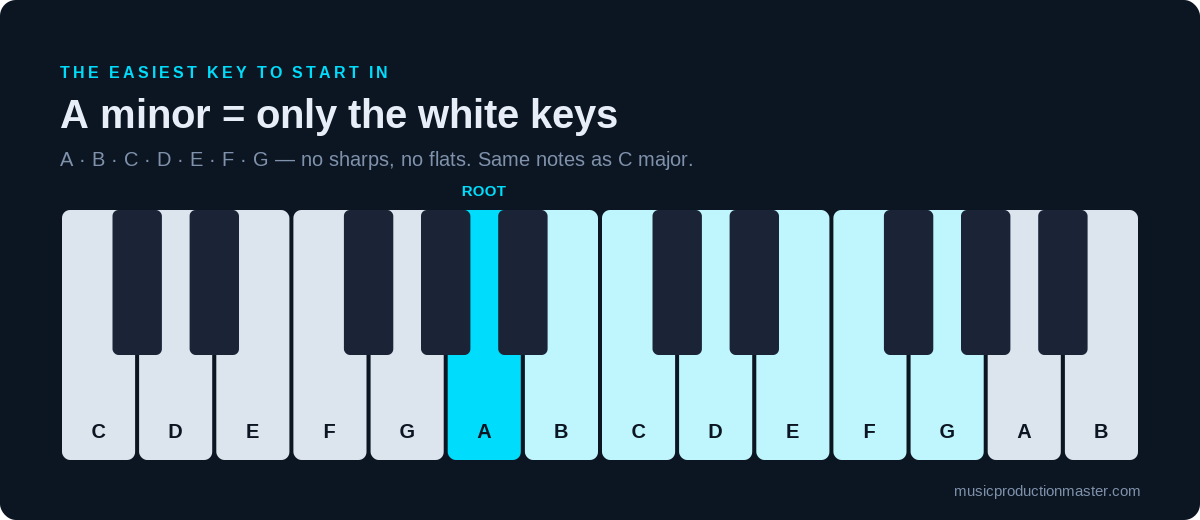
Set your project key to A minor in Logic's control bar. Logic's chord tools and Scale Quantize will then work in that key. Once you're comfortable, every hack below works the same in any other key.
Hack 1: Use Logic's Chord Track
The Chord Track lets you add single chords or complete progressions with a few clicks, and it's my favourite starting point.
- Press G to show the Global Tracks. If you don't see the Chord Track, right-click the Global Tracks area and enable it.
- Click the + in the Chord Track to add a chord. Choose the root note and the chord type (major, minor and more), and audition it before you commit.
- Don't know which chords to pick? Right-click into the empty Chord Track and choose one of the built-in chord progressions. They play in your project key.
- Drag the chords onto an instrument track (a piano works great) to turn them into MIDI you can edit in the Piano Roll.
💡 Pro tip: Add a Session Player (Keyboard Player) and it will follow your Chord Track automatically. If the default pattern feels too busy, turn off steady eighths in the chord rhythm settings and lower the complexity. When you like it, convert the region to MIDI. The notes are already humanized, so they sound more natural than chords you click in by hand.
Free download
The Chord Progression Cheat Sheet
Ready-to-use progressions sorted by mood, the 7 chords in every major and minor key, and how to bring them to life with Logic's Chord Track and Session Player.
Get the free cheat sheet →Hack 2: Audition MIDI chord packs in Live Loops
Third-party MIDI chord packs give you far more progressions than the Chord Track. Adding one is as simple as dragging the MIDI file into your project.
The problem: unlike loops, you can't preview MIDI files with a single click in the browser. Dragging ten files into the timeline creates ten new tracks and clutters your project. Here's a cleaner way:
- Open the Live Loops view.
- Drag several MIDI progressions into the cells of the same instrument track.
- Trigger the cells one by one and listen to each progression with your sound.
- Drag your favourite into the arrangement and switch playback back to the Tracks area.
Hack 3: Find the chords of any track with Chord ID
Chord ID analyzes an audio file and detects its chords. Drag an audio file (for example a track you love) onto the Chord Track and Logic writes the chords for you. Then drag them onto an instrument track to get editable MIDI.
This is one of the fastest ways to learn how your favourite artists build their progressions. Use it for inspiration and learning, then change the chords, rhythm and sounds so the result is your own idea, not a copy.
Hack 4: Make your chords sound human
Chords clicked into the Piano Roll all hit at exactly the same time and with the same velocity. A real keyboard player never plays like that. Two Logic functions fix it in seconds:
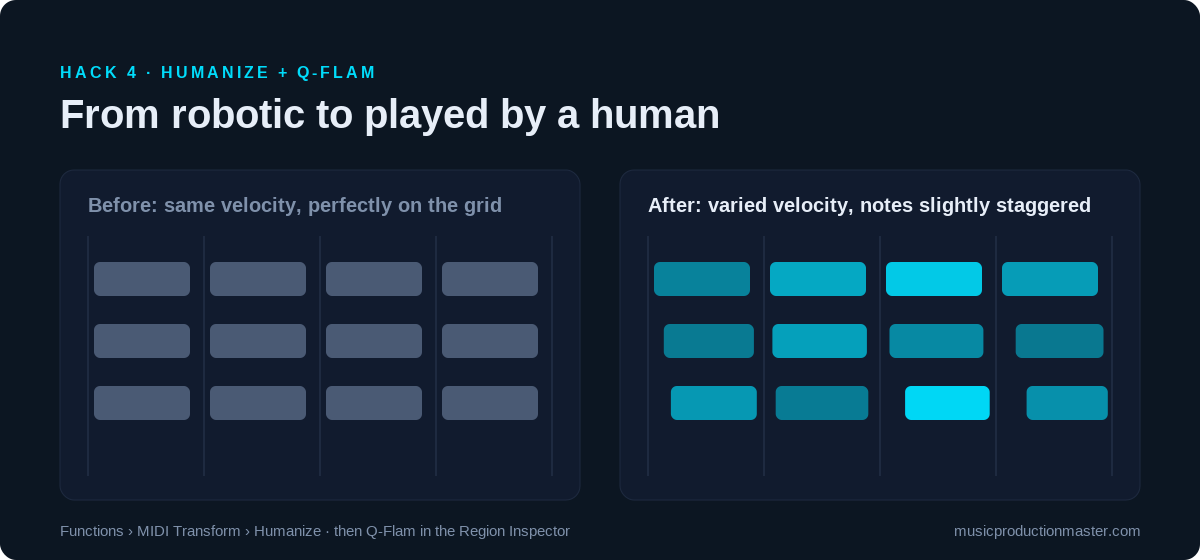
- Humanize: Select the notes, go to Functions › MIDI Transform › Humanize and randomize velocity and position. Start subtle and raise the values until you can hear the difference.
- Q-Flam: In the Region Inspector, set a fine quantize value and use Q-Flam to stagger the notes of each chord slightly, like a gentle strum. A few ticks are enough. Too much sounds sloppy.
4 chord progressions to try in A minor
Pick a mood, loop four bars with one chord per bar, and build your track on top:
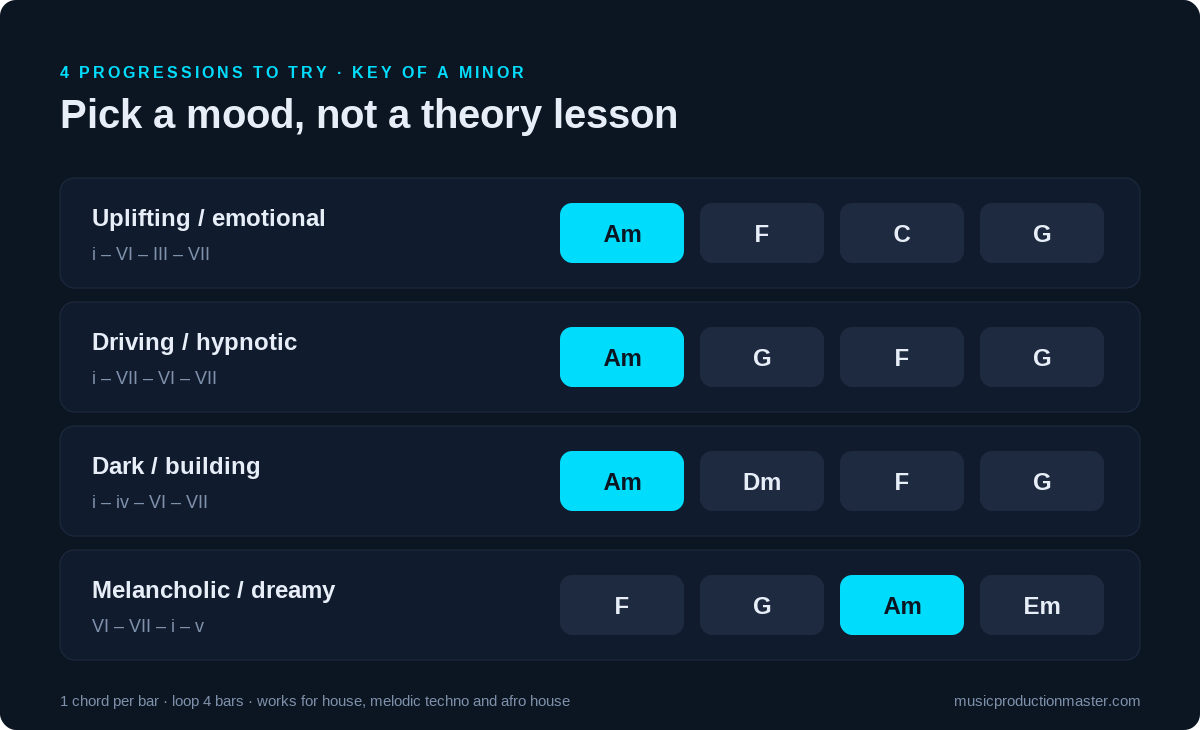
- Uplifting / emotional: Am – F – C – G
- Driving / hypnotic: Am – G – F – G
- Dark / building: Am – Dm – F – G
- Melancholic / dreamy: F – G – Am – Em
Type them into the Chord Track, let a Session Player follow along, then humanize the result. That's a finished chord section in under ten minutes.
💡 Pro tip: Same chords, new mood: keep the progression and only change the rhythm. Long pads feel emotional, short stabs on the offbeat feel driving. That's often all the difference between a deep house and a melodic techno groove.
Common chord mistakes (and quick fixes)
- Too many chord changes: In electronic music, one chord per bar (or even per two bars) usually works better than busy changes.
- Muddy low end: Keep your chords out of the bass range and let the bassline play the root notes.
- Robotic feel: Humanize velocity and timing (Hack 4).
- Endless tweaking: A good progression is a starting point, not the finished track. Commit after a few tries and move on to the arrangement.
FAQ
Do I need music theory to make chord progressions in Logic Pro?
No. With the Chord Track, Session Players and MIDI packs you can build great progressions without theory. Learning the basics later helps you understand why they work.
What's the best key for house music?
There's no "best" key, but minor keys are very common in house and melodic techno. A minor is the easiest place to start because it only uses the white keys.
What's next
From 8-bar loop to finished track.
14-Day Music Producer is my upcoming course that takes you from a loop to a finished, release-ready track in Logic Pro with one repeatable workflow. Join the free waitlist for launch updates and the best price.
Join the waitlist →